


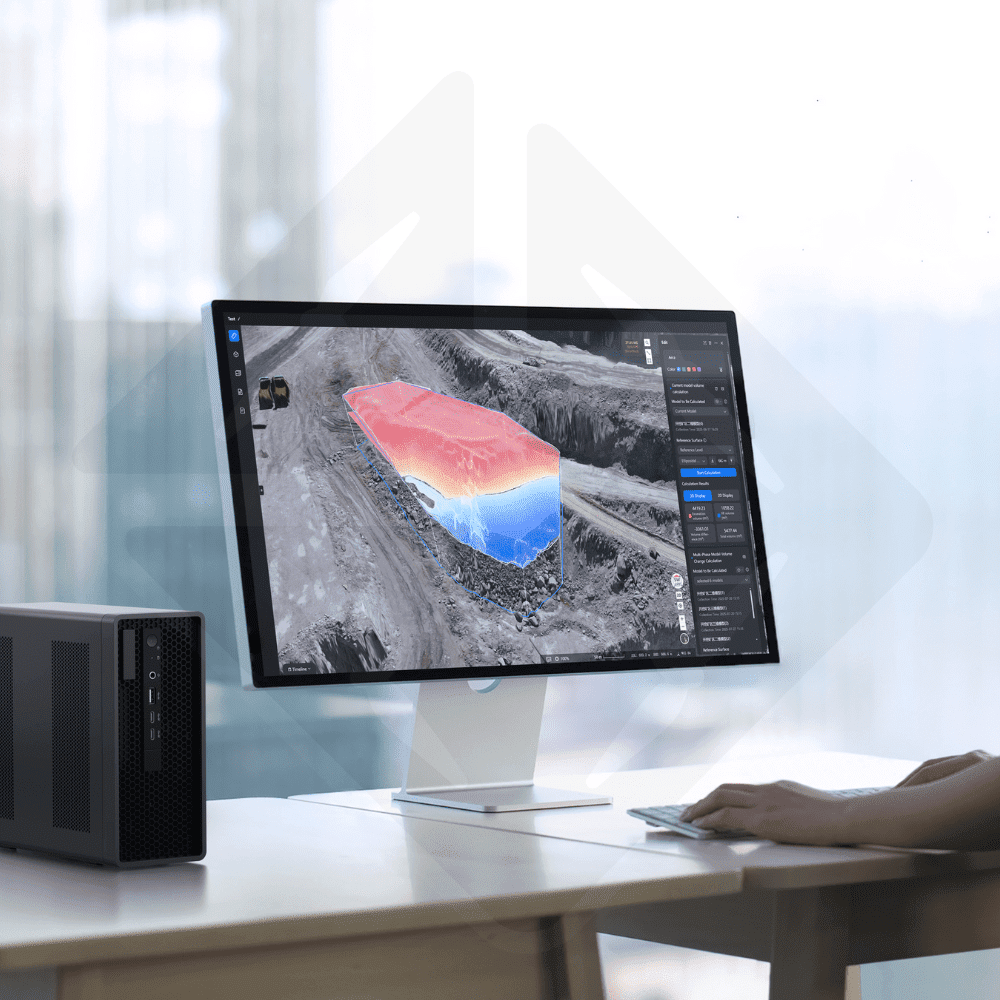
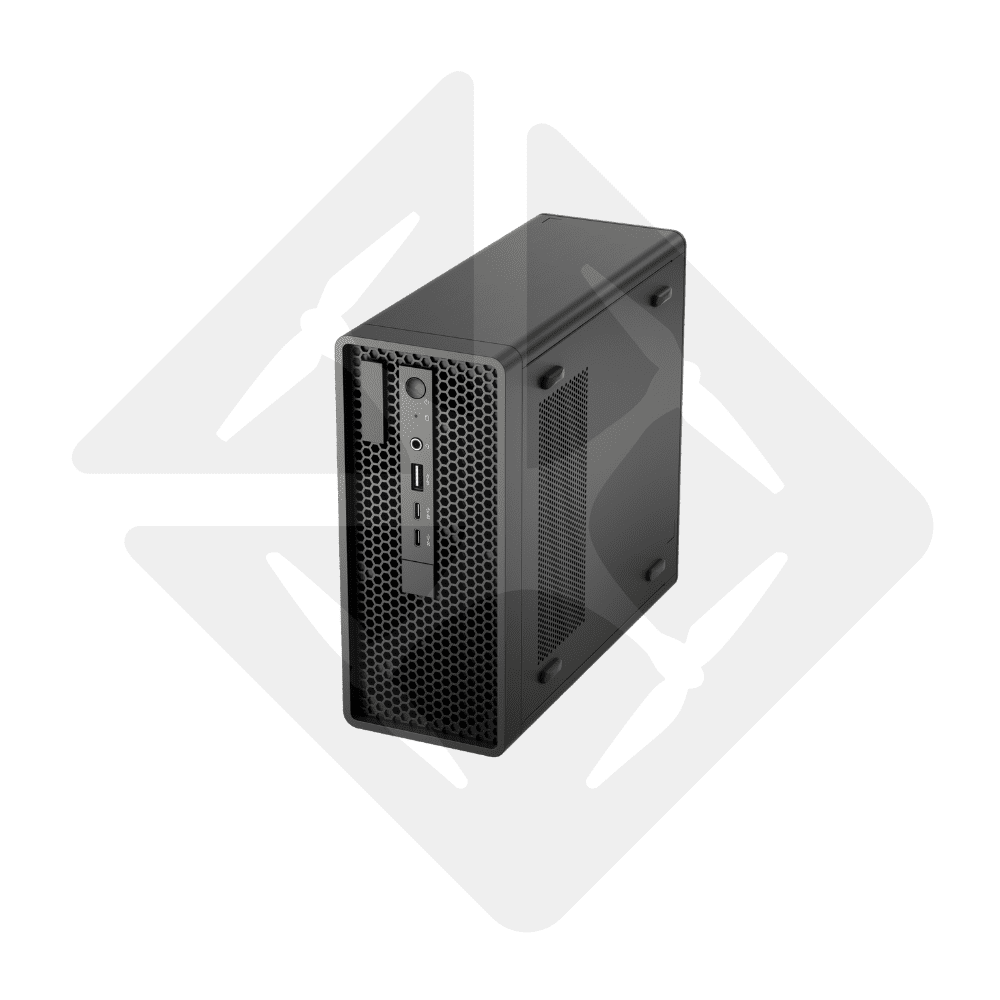
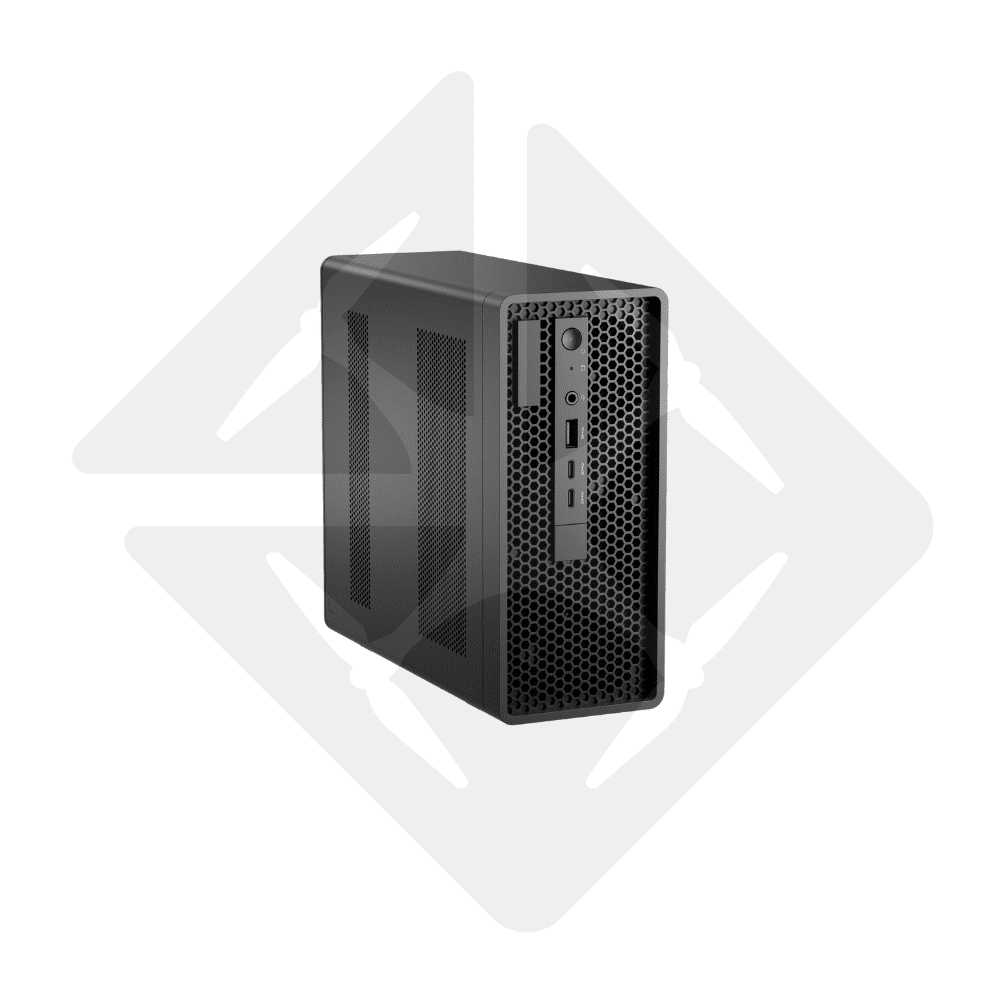
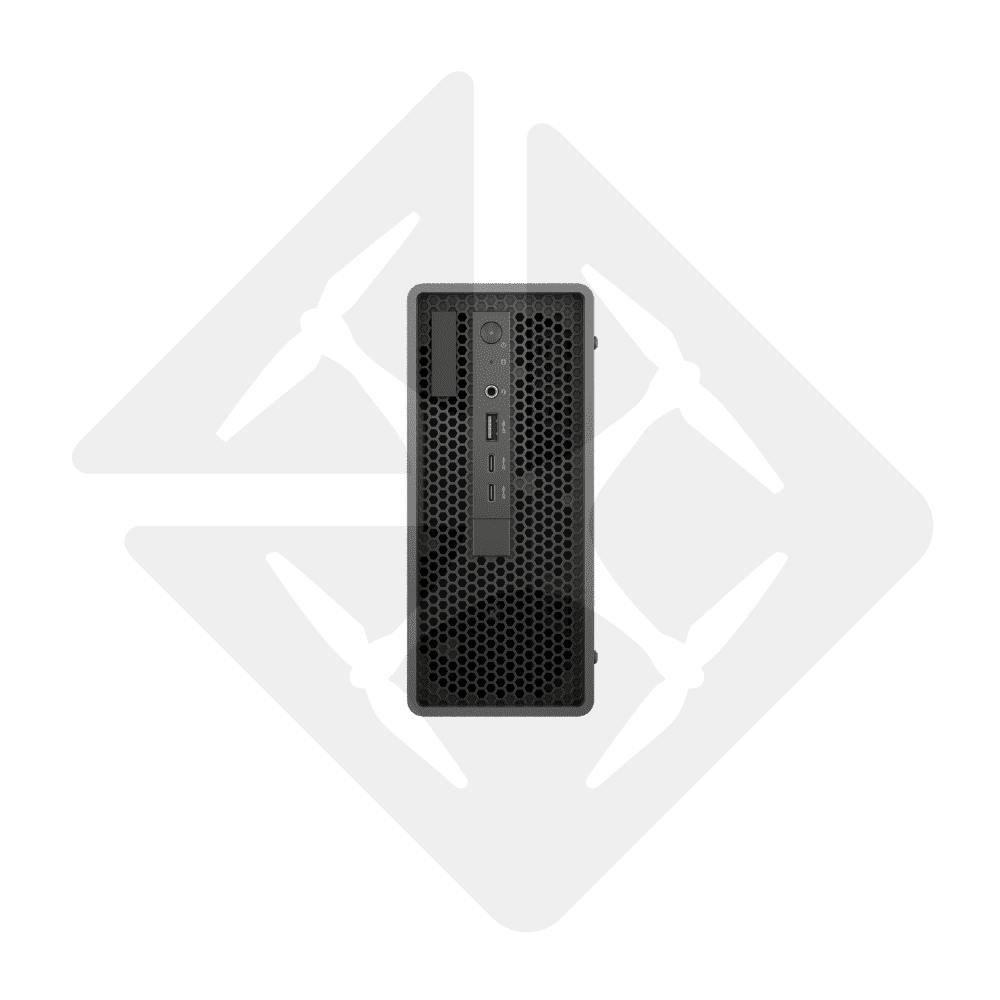

DJI FlightHub 2 AIO Combo – FlightHub 2 On-Premises all-in-one server, ready in 10 minutes
€ 17.404,96

- Compact server (3 kg) supplied with DJI FlightHub 2 On-Premises preinstalled and its licence dongle
- Ready in 10 minutes: direct connection to the DJI Dock or the remote controller, graphical console, no command line
- 1 device included, expandable to 20 online devices (drones and docks) with +1 and +5 packs
- Your data stays with you; works without internet, in a server room, an office or a vehicle
- 3D model from 500 photos in 5 minutes, thanks to the built-in GPU and the DJI Terra engine
- 3 years of software updates included. Commissioning, Belgium + Luxembourg offline maps and training by Drone Parts Center
Available to order: contact us for lead time.
At a glance
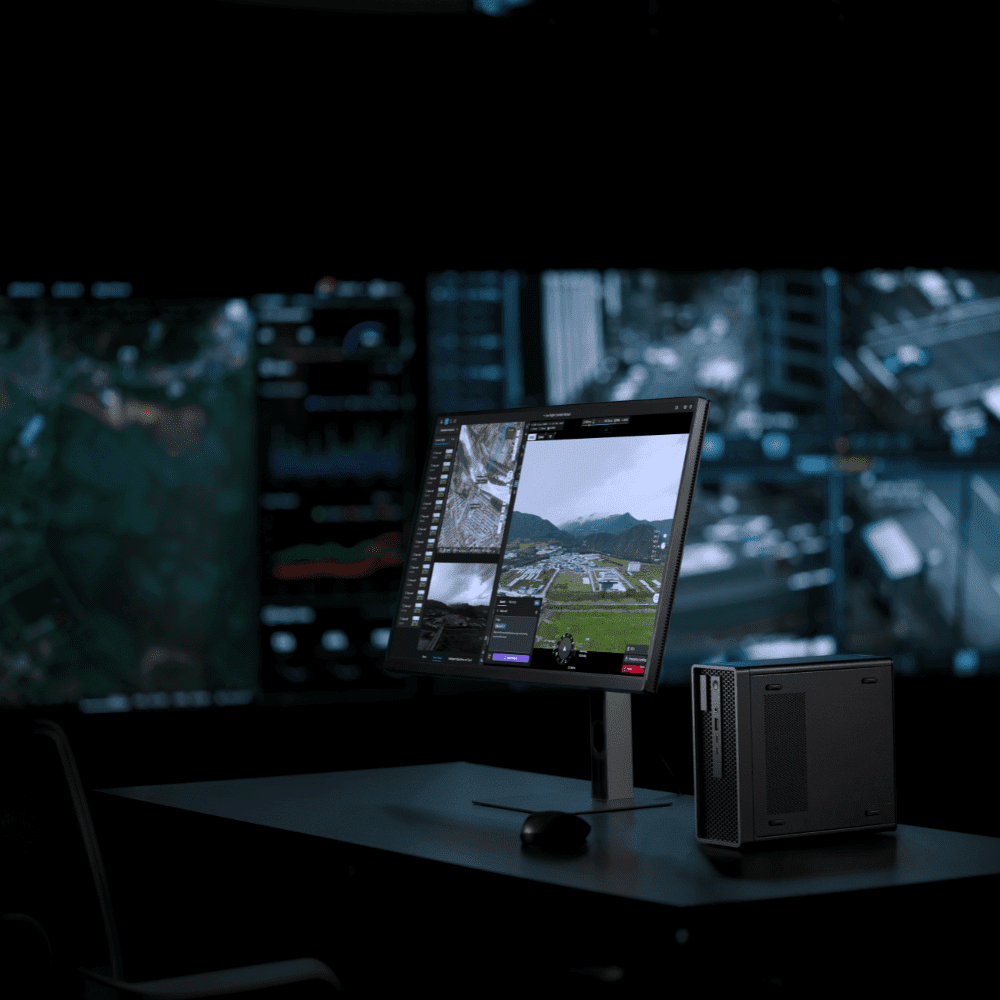
The DJI FlightHub 2 AIO (All-in-One) is a compact server supplied with DJI FlightHub 2 On-Premises preinstalled. It manages your DJI Docks and DJI Enterprise drones from your own network, with no cloud involved: mission planning, virtual cockpit, live video, media, 2D and 3D modelling. It can be commissioned in about ten minutes from a graphical console, works without internet and supports up to 20 online devices. DJI recommends it for pilot projects and small to medium-sized dock deployments; beyond that, the DJI FlightHub 2 On-Premises licence is installed on your own servers.
10 min
to be up and running, no server skills needed
20
online devices maximum (drones and docks)
5 min
for a 3D model from 500 photos
0 cloud
your data stays on your network
3 years
of software updates included
3 kg
for the office, the server room or a vehicle
Drone Parts Center is an Authorised DJI Enterprise dealer in the Benelux, working with professional drones since 2017. We have been running a DJI FlightHub 2 AIO ourselves in our Nivelles workshop since September 2026: we updated it and loaded it with offline maps of Belgium and Luxembourg, along with elevation data. Everything described here, we have done ourselves.
The combo includes the server, the licence dongle and a licence for 1 online device. It can be expanded with packs of +1 or +5 devices, up to 20. For a large number of docks, see DJI FlightHub 2 On-Premises (a licence installed on your own servers); for management in the DJI cloud, see DJI FlightHub 2 Business.
Request a quote for the DJI FlightHub 2 AIO →
Why keep a FlightHub 2 server in-house
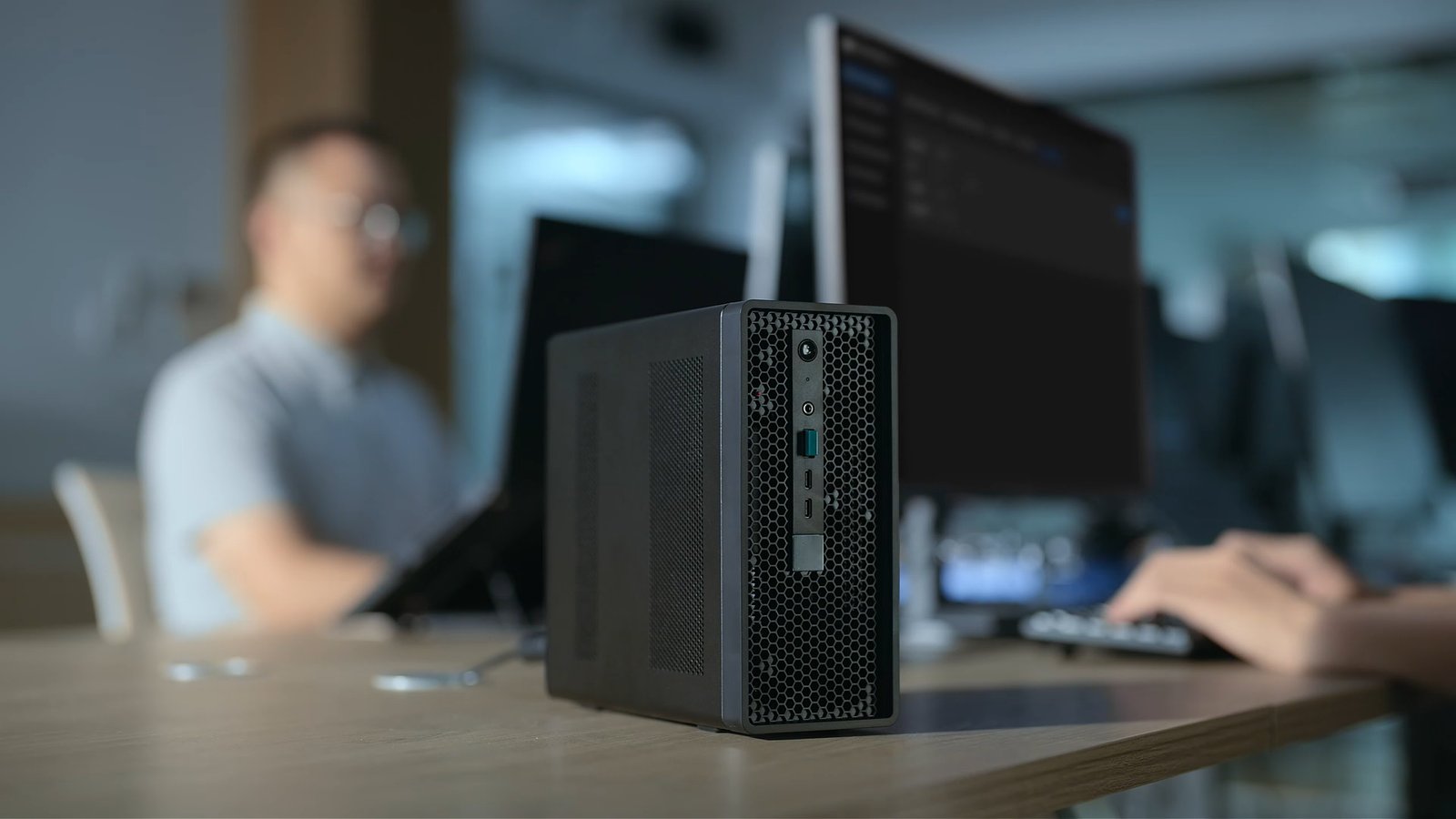
- Sensitive data: your organisation’s policy prohibits storage on a public cloud, or images of your sites must not leave your network. With the AIO, everything stays in-house, from the drone to the dock and the server.
- Integration: your teams already work in a business platform (dispatch, CMMS, GIS). FlightHub 2 On-Premises connects to it through its development interfaces.
- Cost and bandwidth: docks flying every day generate large volumes of video; keeping them on the local network avoids transfer costs and bandwidth limits.
- Sites without internet: in an emergency response vehicle or at a remote site, the AIO runs on its own, with its offline maps.
Ready in 10 minutes
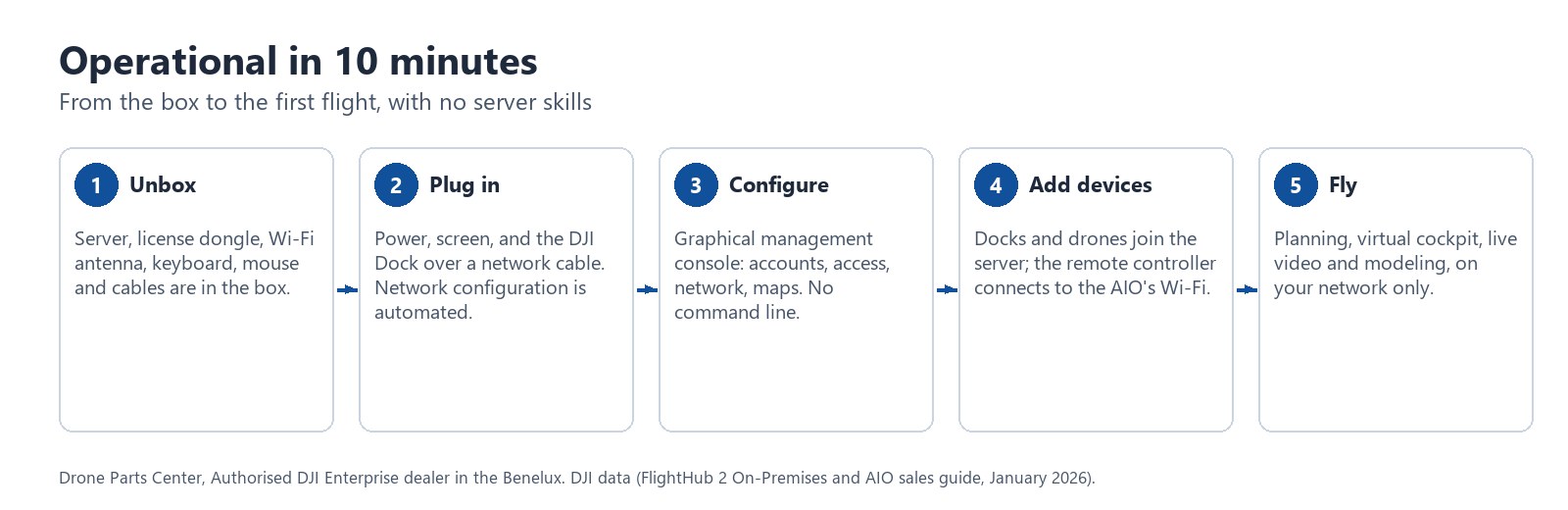
The AIO ships with the latest version of DJI FlightHub 2 On-Premises installed. It connects directly to the DJI Dock, or to the drone through the remote controller; network configuration is automated. Everything is set up from a graphical management console, with no command line: accounts, licences, access, logs, ports and domain name, maps, network, storage, updates.
- Maps: offline maps (MBTiles), custom online maps, street basemaps and elevation files, all loaded from the console.
- Network: WAN and LAN ports, Wi-Fi in access point or client mode, DHCP server, custom domain name, optional SSH.
- Storage: 2 TB for the system and 4 TB for data, expandable with a NAS or an external storage server; system drive isolated from the data, data mirrored in RAID 1.
- Maintenance: FlightHub 2 and dongle updates by upload, one-click factory reset, system logs, remote maintenance that can be enabled on request.
Three ways to connect it
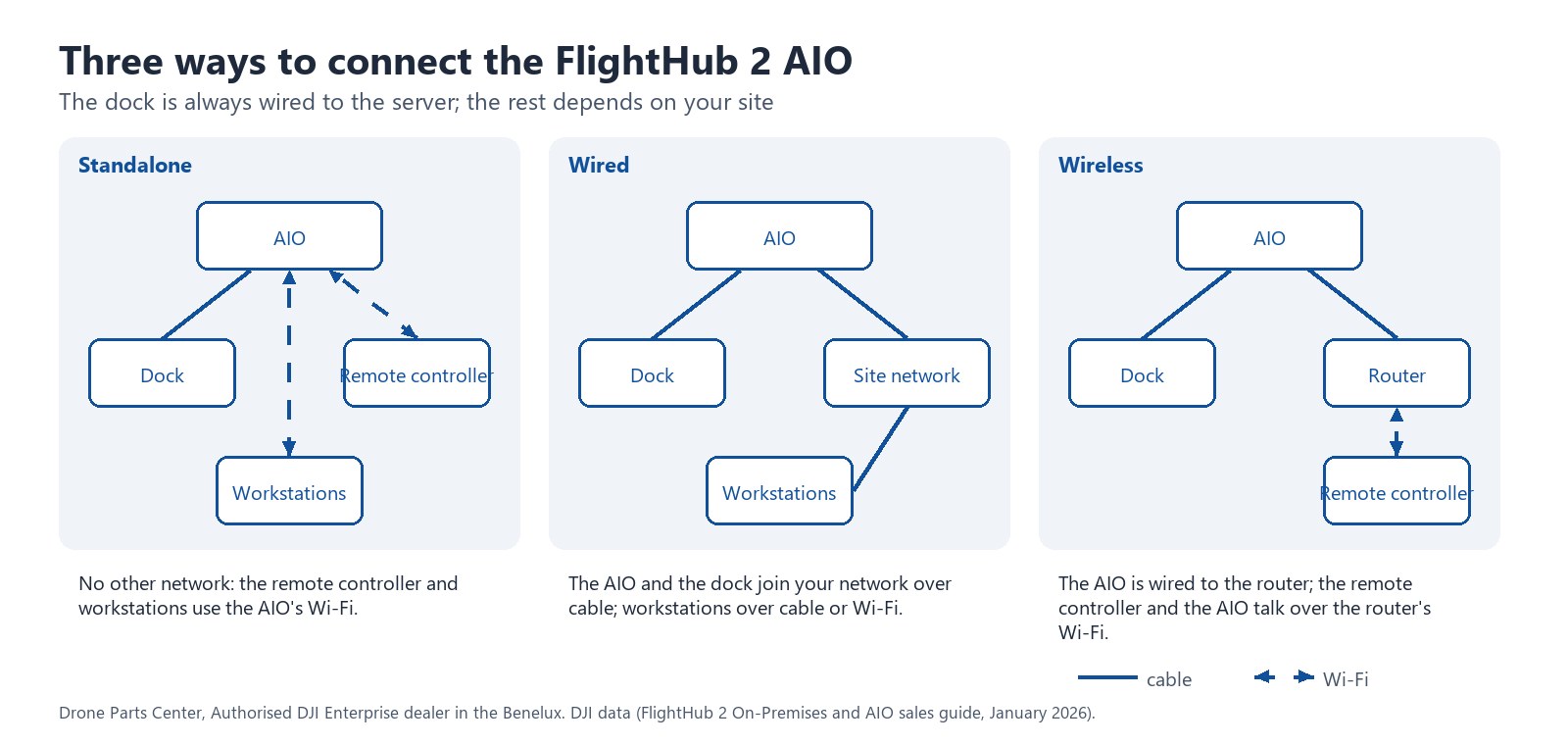
- Standalone: the dock is cabled to the AIO, while the remote controller and operator workstations connect to the AIO’s Wi-Fi. No other network is needed.
- Wired: the AIO joins your existing network by cable, as does the dock; workstations connect by cable or over Wi-Fi.
- Wireless: the dock is cabled to the AIO, the AIO is cabled to the router, and the remote controller and the AIO communicate over the router’s Wi-Fi.
3D modelling in 5 minutes, even without a network
The drone transmits its photos during the flight and reconstruction starts in parallel. Thanks to the built-in GPU and the DJI Terra engine, the AIO turns 500 photos into a 3D model in about 5 minutes: the mapping base a crisis unit needs. Real-time 2D reconstruction (manually piloted drone), 2D orthophotos and 3D models are all produced locally; with a vehicle-mounted DJI Dock 3, everything works off-network.
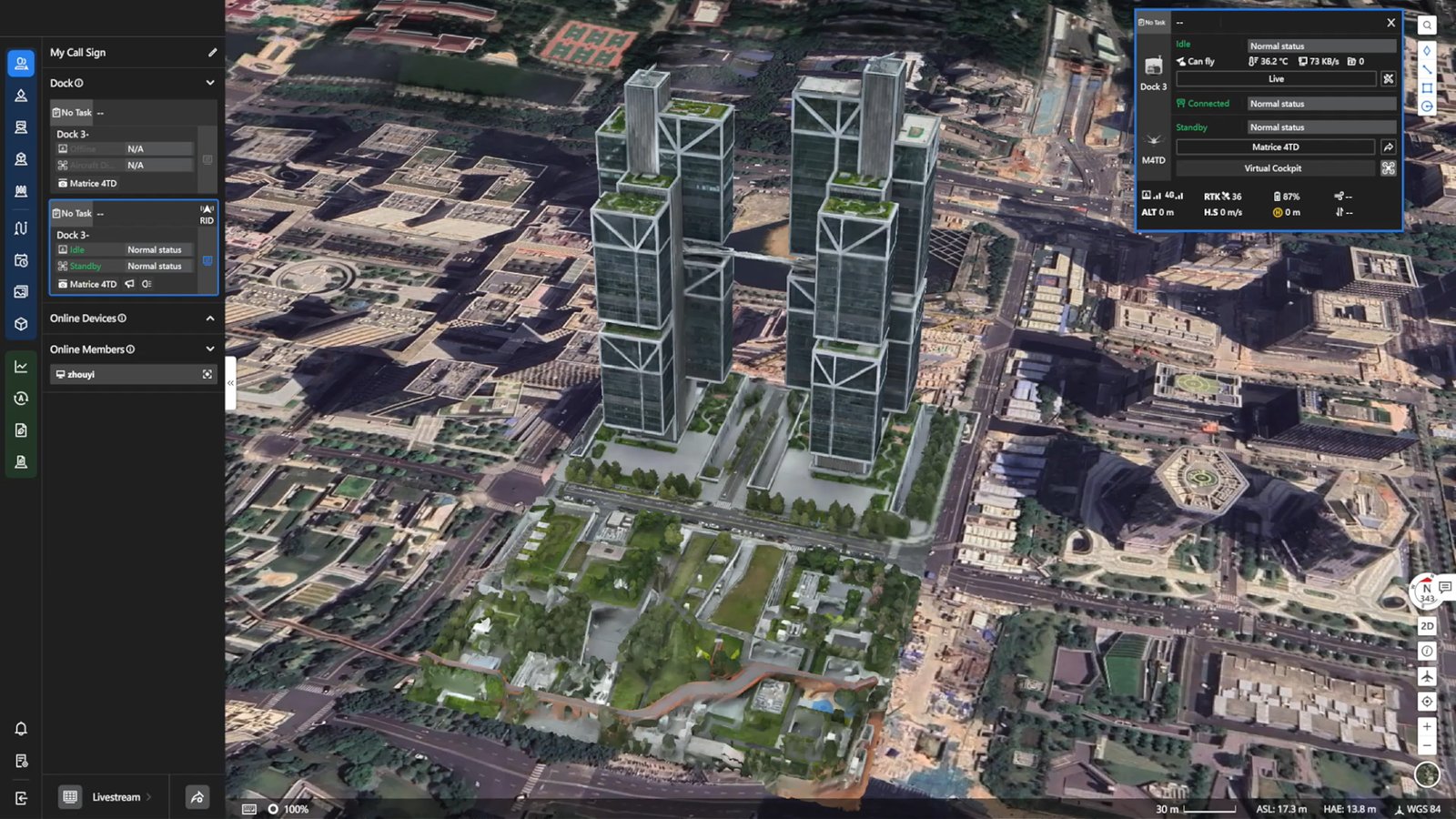
What FlightHub 2 On-Premises does, and how it differs from the cloud
The user experience is that of DJI FlightHub 2: projects, route planning, virtual cockpit, remote flight controls, live video, media, device management. The main modules are updated at the same time as the cloud version. According to DJI, there are a few differences to be aware of:
- Maps are not provided and have to be imported (we prepare offline maps of Belgium and Luxembourg).
- Weather and message subscription in device management are not available for the time being.
- Intelligent change detection is not available in the On-Premises version.
- The large language models (LLMs) built into the cloud version must be deployed by you in the On-Premises version.
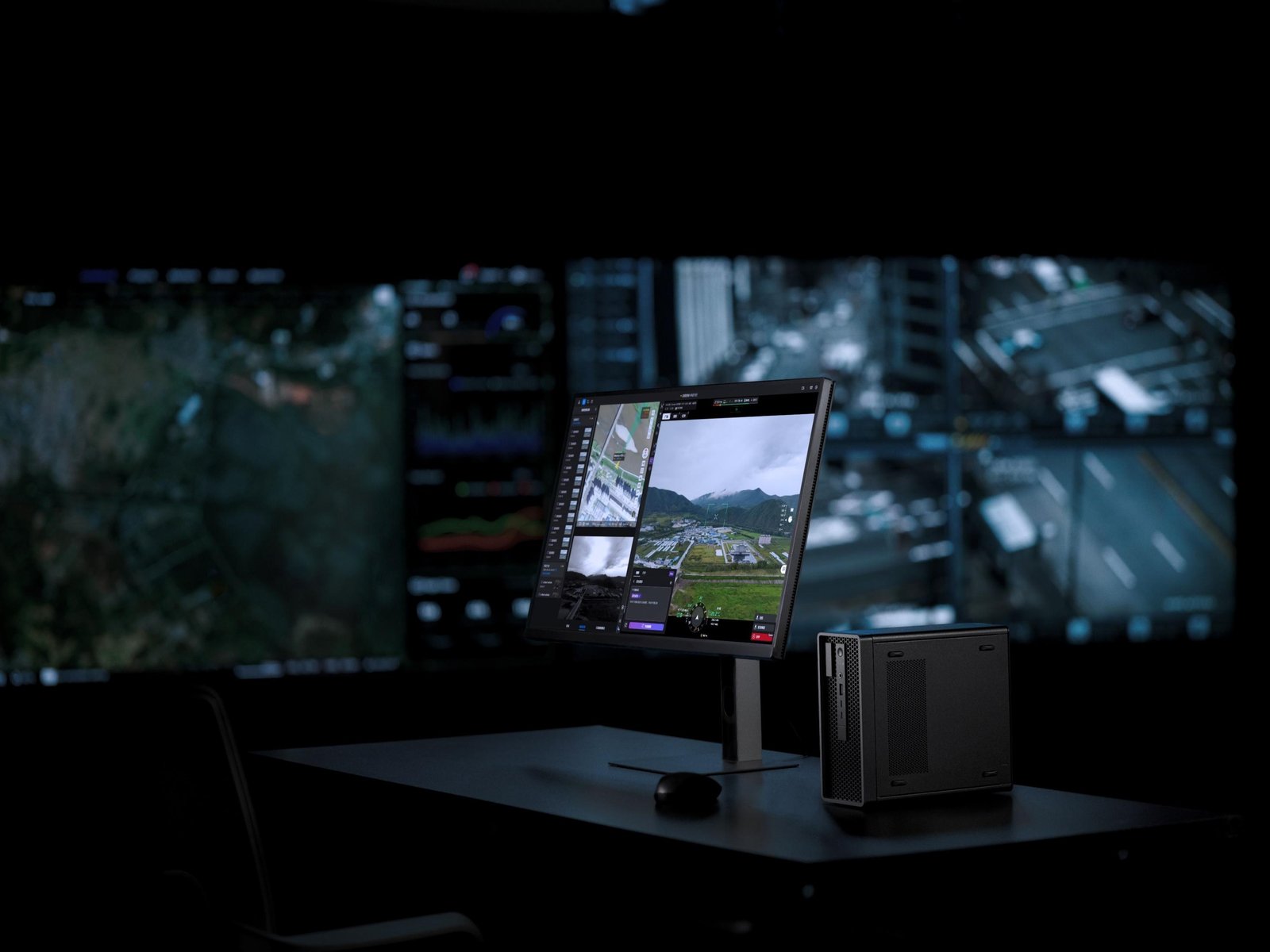
Integration with your systems
The AIO offers all the development capabilities of FlightHub 2 On-Premises, so you can build your own platform or connect FlightHub 2 to your tools:
- Front-end components: virtual cockpit, route editing, flight logs, project and map, ready to embed in your applications.
- OpenAPI: REST interface to drive FlightHub 2 functions from your business platform, with no low-level development.
- FlightHub Sync, no code: RTMP video stream relay, synchronisation of media, routes, models, flight logs and annotations to S3 storage, MQTT gateway to track devices from your systems.
- Algorithms and models: onboard or server-side algorithms, locally deployed language models.
- Single sign-on (SSO) with your corporate directory.
4G Enhanced Transmission, run locally
4G Enhanced Transmission is also available as a local version: the service is deployed on the AIO, with a SIM card on a dedicated APN supplied by the mobile operator. The software module and the 4G dongle are two separate products, available in regions where DJI supports the dongle. We can advise you on the right configuration for your site.
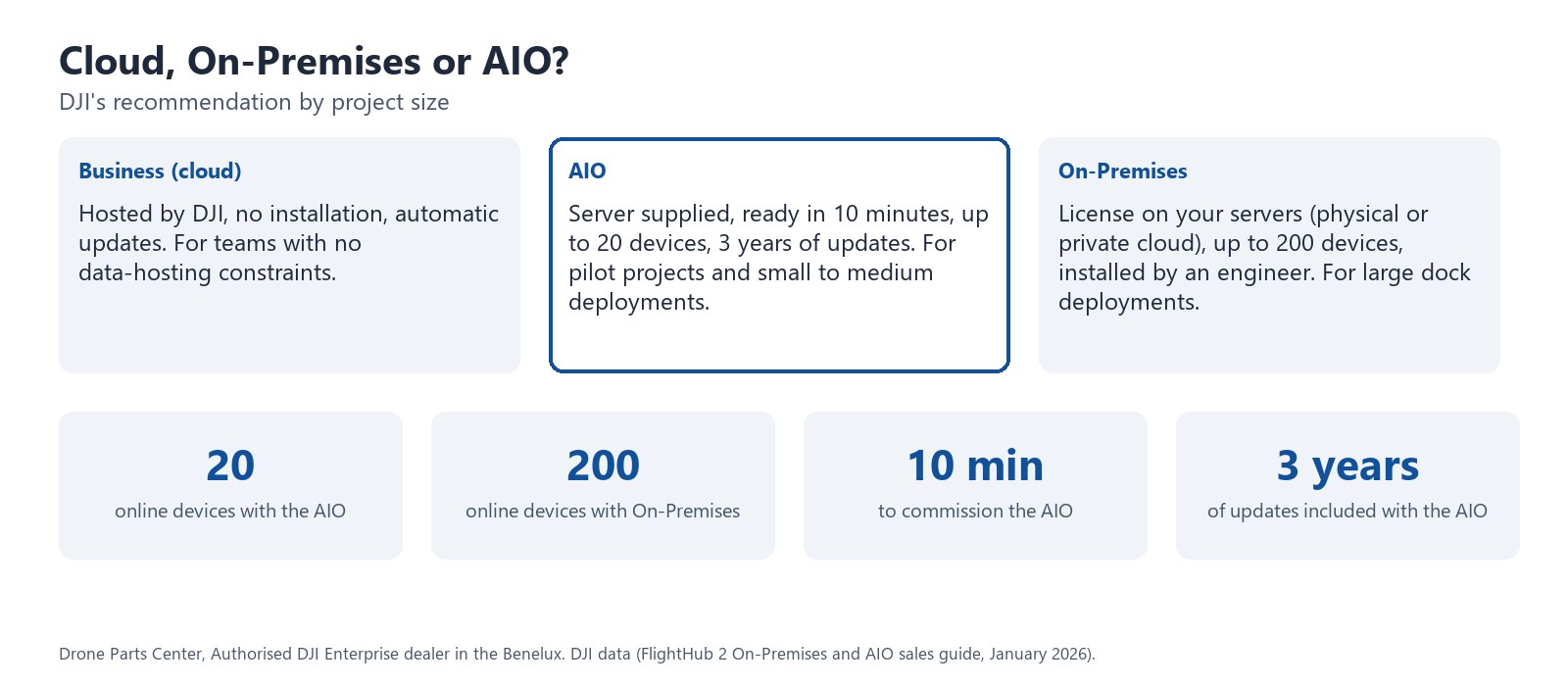
Cloud, On-Premises or AIO: which one to choose?
| Criterion | DJI FlightHub 2 Business (cloud) | DJI FlightHub 2 On-Premises | DJI FlightHub 2 AIO |
|---|---|---|---|
| Hosting | DJI cloud | Your servers: physical machine, private or public cloud | Server supplied, preinstalled |
| Online devices | Depends on the licence | Up to 200 | Up to 20 |
| Installation | None | By an engineer (Ubuntu Server) | Ready to use, 10 minutes |
| Operation | By DJI | IT team, heavy workload | Graphical console, light workload |
| Local modelling | In the DJI cloud | Yes, with NVIDIA GPU | Yes, built-in GPU |
| 4G Enhanced Transmission | Standard SIM card, ready to use | Local service, SIM on a dedicated APN | Local service, SIM on a dedicated APN |
| Updates | Automatic | 1 year included, paid extension | 3 years included, cannot be extended |
| DJI recommends it for | Teams with no hosting constraints | Large dock deployments | Pilot projects and small to medium-sized deployments |
Licence and updates
The combo includes a licence for 1 online device at a time. Expansion packs add 1 or 5 devices, up to 20 online devices simultaneously, drones and docks combined. Software updates are free for 3 years from activation; after that, DJI no longer provides updates for the AIO, which remains usable in its installed version. The AIO cannot be deployed as a cluster; its storage is expanded with an external NAS, not with internal components.
Commissioning, maps and support by Drone Parts Center
We deliver the AIO fully configured: network, accounts, your docks and drones added, offline maps of Belgium and Luxembourg (orthophotos and elevation data), update to the latest version. FlightHub 2 level 1 training then takes over for your operators, in Nivelles or at your site. First-line software support is provided by our team; the hardware is a Lenovo workstation covered by its manufacturer’s warranty, with replacement if a defect is found on receipt, to be reported within 30 days. Drone Parts Center holds the DJI “FlightHub 2 On-Premises Version Delivery” certification, which DJI requires to sell, install and support FlightHub 2 On-Premises and the AIO.

The AIO pairs with the DJI Dock 3 and the Dock 3 Drone-in-the-Box pack for fixed or mobile surveillance without the cloud. The full range: Drone In the Box and software licences.
What’s in the box
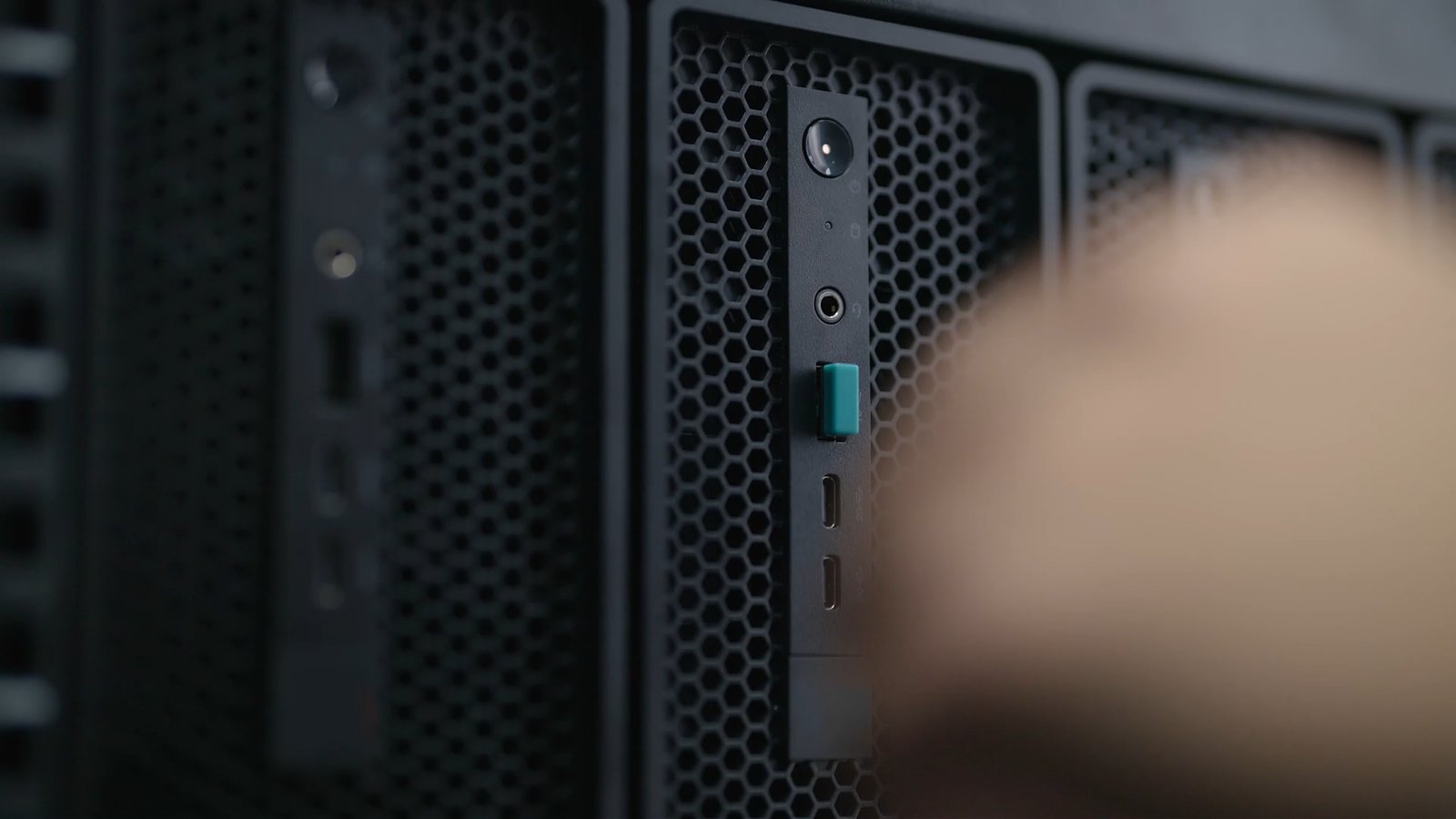
- 1 DJI FlightHub 2 AIO server (Lenovo ThinkStation P3 Ultra Gen 2) with FlightHub 2 On-Premises preinstalled
- 1 FlightHub 2 licence dongle
- 1 Wi-Fi antenna
- 1 wired keyboard and 1 wired mouse
- 1 power adapter and 4 power cords, including the European one
- 1 DisplayPort to HDMI cable
- 1 user manual
DJI FlightHub 2 AIO specifications
| Software | DJI FlightHub 2 On-Premises preinstalled, graphical management console |
| Licence included | 1 online device; +1 and +5 expansions, up to 20 online devices |
| Updates | Free for 3 years from activation, cannot be extended |
| Processor | Intel Core Ultra 7 265 |
| Memory | 64 GB |
| Storage | 3 SSDs of 2 TB: 1 for the system, 2 in RAID 1 for data (4 TB); expandable via external NAS |
| Graphics card | NVIDIA RTX 2000 Ada |
| Modelling | DJI Terra engine: 500 photos into a 3D model in about 5 minutes; real-time 2D, orthophotos, 3D |
| Network | WAN and LAN ports, built-in Wi-Fi (access point or client), DHCP, custom domain name |
| Dimensions | 223 × 87 × 202 mm |
| Weight | 3.008 kg (server); power adapter 1.05 kg |
| Power supply | 330 W, 100 to 240 V |
| Temperatures | 10 °C to 35 °C recommended; -33 °C to 63 °C peak (4 h continuous) |
| Ingress protection | IP45 |
| Altitude | 3,048 m in operation |
| Deployment | Office, server room, vehicle (shock and vibration resistant) |
| Development | Front-end components, OpenAPI, FlightHub Sync (RTMP, S3, MQTT), algorithms and models, SSO |
| Reference | DJI FlightHub 2 AIO Combo (Overseas Standard), CP.EN.00000730.01 |
Frequently asked questions
What is the difference between the DJI FlightHub 2 AIO and FlightHub 2 On-Premises?
The software is the same: FlightHub 2 On-Premises. The AIO comes with it preinstalled on a compact server, ready in 10 minutes, managed from a graphical console and limited to 20 online devices. The On-Premises licence on its own is installed on your own servers, supports up to 200 devices and requires installation by an engineer. DJI recommends the AIO for pilot projects and small dock deployments, and On-Premises for large ones.
How much does the DJI FlightHub 2 AIO cost?
The price of the combo (server, dongle and licence for 1 device) is shown on this page. Depending on the project, device expansion packs, commissioning, offline maps and training come on top, priced in a quote from Drone Parts Center.
Does the DJI FlightHub 2 AIO work without internet?
Yes. In standalone mode, the dock is cabled to the AIO, and both the remote controller and the operator workstations connect to its Wi-Fi. Maps must then be loaded offline, which we do for Belgium and Luxembourg. Only 4G Enhanced Transmission requires mobile coverage.
How many devices can the AIO manage?
Up to 20 online devices at the same time, DJI Enterprise drones and DJI Docks combined. The combo includes 1 device; expansion packs add 1 or 5 devices.
What happens after the 3 years of updates?
The AIO remains fully usable in its installed version. DJI simply stops providing software updates for this hardware beyond 3 years after activation, and this period cannot be extended.
Can the FlightHub 2 AIO be installed in a vehicle?
Yes. It is shock and vibration resistant, weighs 3 kg and works offline. Combined with a vehicle-mounted DJI Dock 3, it can model an incident area in 3D without any network.
Do you need an IT specialist to run the FlightHub 2 AIO?
Not for day-to-day operation: the management console is graphical and requires no command line. We handle commissioning and training for your operators; for integration with your systems through the APIs, your developers have access to the FlightHub 2 On-Premises interfaces. We hold the DJI delivery certification for FlightHub 2 On-Premises, required to install and support the AIO.
Which docks and drones are compatible?
DJI Dock, Dock 2 and Dock 3, and the DJI Enterprise drones managed by DJI FlightHub 2, including the Matrice 4, Matrice 4D, Matrice 350 RTK, Matrice 30 and Mavic 3 Enterprise series. Devices connect directly to the AIO’s network.
Drone Parts Center – DJI Enterprise Authorized Reseller, Nivelles, Belgium
Only logged in customers who have purchased this product may leave a review.
Vous pourriez préférer
Related products
Available to order: contact us for lead time.
Drone In the box
DJI Dock 4 + Matrice 5TD Bundle – Complete System with 4 Batteries
Available to order: contact us for lead time.
Available to order: contact us for lead time.
Available to order: contact us for lead time.
Reviews
There are no reviews yet.