
 Français
 Nederlands
 Deutsch
News, Regulation & Certification
How to get C1 Europe certification for your DJI Mavic 3 & Mavic 3 Cine drone?
Dec
It’s here! After receiving C1 certification on 18 August, the C1 label is now available for the DJI Mavic 3 and Mavic 3 Cine. In this article, we explain how to get yours for free by post, as quickly as possible.
While the Mavic 3 Classic is C1 certified from the factory, its siblings, the Mavic 3 and Mavic 3 Cine, still had to wait to receive the coveted label. That’s no longer the case!
C1 certification, granted by EASA (the European Union Aviation Safety Agency), now allows the Mavic 3 to fly in the A1 category, meaning above people (be careful, not above an assembly of people or a crowd). An A2 remote pilot certificate is no longer required, an online theory exam is enough.
How do you get the C1 label for your Mavic 3?
1. Update
First, download the latest version of the DJI Fly app (version 1.9.0 or later).

2. C1 identification request
Once the firmware is up to date, a pop-up will take you to the C1 label request. Simply tap the “Apply” button.
If you choose “Not Now”, you can finish the process later by going to the app’s customer support area, under “C1 Class Identification Label”.

3. Sent by post
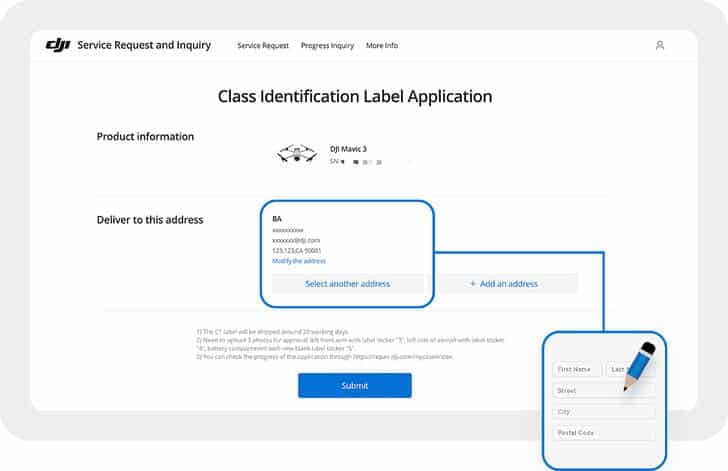
Fill in the short request form and specify the address where you’d like to receive your C1 label. It should arrive shortly afterwards. Note that no delivery time is given and no tracking number is provided. Let us know on our Facebook page when you receive it 🙂
4. Complete your C1 certification
Once you’ve received the C1 label by post, attach it to your drone by following the instructions provided.
Then open your DJI Fly app and go to your “Profile”. Tap “Service and Support” and finally “Class C1 Identification Label”.
Take a photo of your drone fitted with its label and upload it in the field provided.

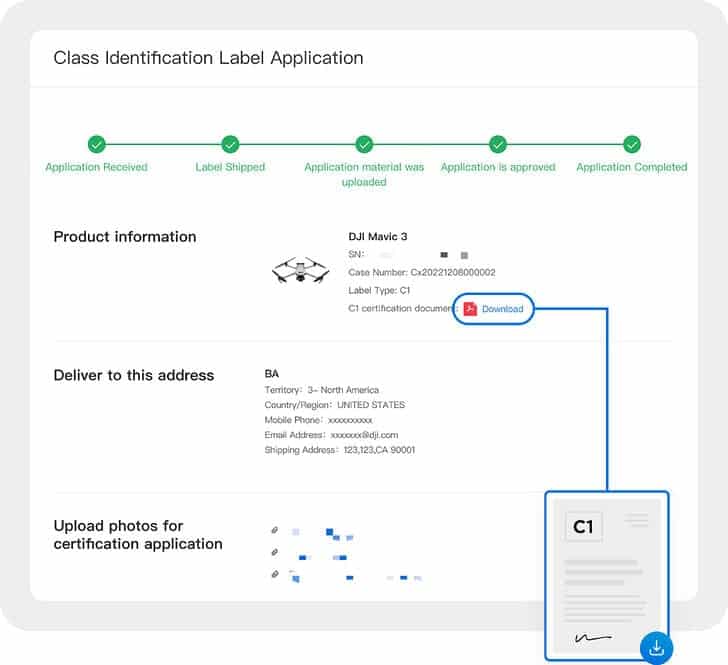
5. Download your C1 certification document
Once this process is complete, your final document should appear in the DJI Fly app within 3 business days.
All that’s left is to download it and keep it with you whenever you fly.