
 Français
 Nederlands
 Deutsch
News, Professional applications
Revolution in Power Line Inspection: DJI Zenmuse L2 and Power Line Follow Redefine LiDAR Workflow
May
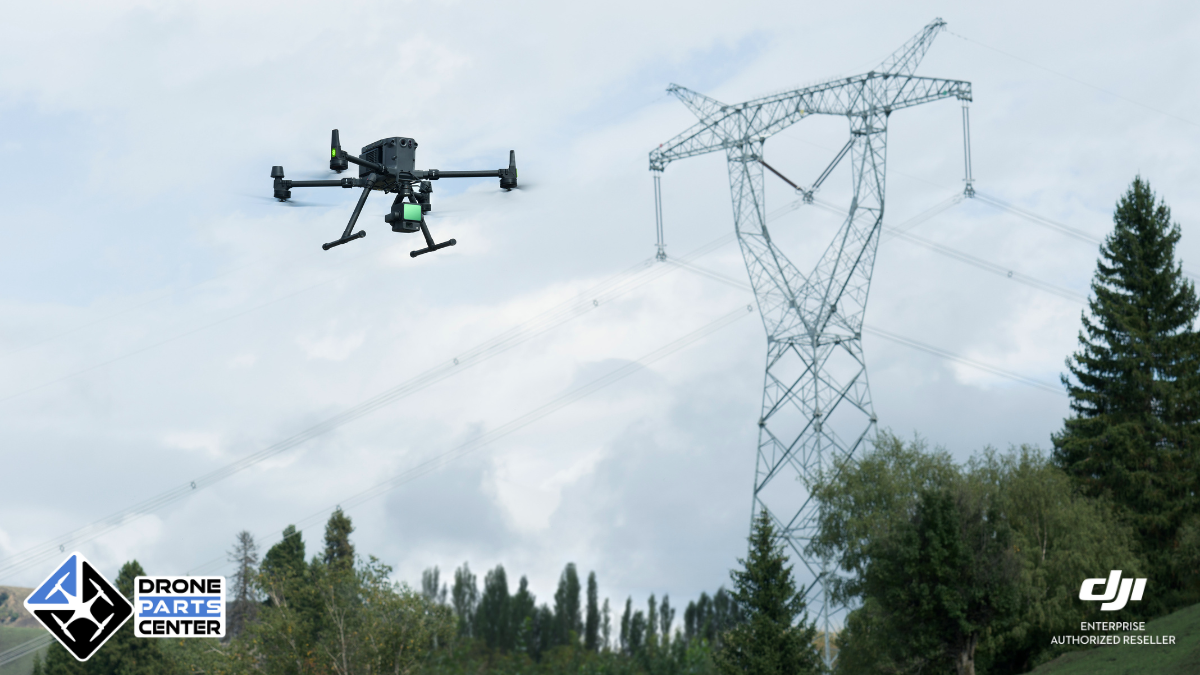
DJI, the global leader in civilian drones and aerial imaging technology, announces a major breakthrough for the electrical industry with the update of its Zenmuse L2 LiDAR gimbal. The introduction of the innovative “Power Line Follow” feature promises to radically transform the methods of power line inspection, automating LiDAR data collection for increased efficiency and safety. This technology, compatible with the M350 RTK and M300 RTK drones, simplifies a traditionally complex and time-consuming process, paving the way for more proactive management of energy infrastructure.
The Traditional Challenge of Power Line Inspection
Inspecting electrical transmission and distribution lines is a crucial task to ensure continuity of energy supply and prevent costly outages. Traditionally, this mission relies on manual methods or pre-planned flights that present several significant challenges. The need to know precisely the coordinates and height of electricity pylons, which are often unknown or difficult to access, complicates flight planning. Operators had to manually mark these points or perform detailed flight route planning in advance, a process in two separate steps (“Flight Route Planning” and “Task Operation”) that is time-consuming and potentially error-prone. In addition, the safety of teams on the ground or during close inspections by helicopter remains a major concern. The collection of LiDAR data, which is essential for the analysis of surrounding vegetation or the planning of future inspection routes, was thus hampered by these operational constraints, limiting the efficiency and frequency of inspections.

Zenmuse L2 and Power Line Follow: The LiDAR Revolution by DJI
Faced with these challenges, DJI is providing a powerful technological response with the latest update of its Zenmuse L2 LiDAR gimbal, integrating the revolutionary “Power Line Follow” feature. This innovation, available via firmware update v04.00.1001 for the Zenmuse L2 and compatible with the DJI M350 RTK (firmware v10.01.0805) and M300 RTK (firmware v60.01.0806) drones piloted via RC Plus (firmware v05.02.1301) and the Pilot 2 app (v10.1.8.17), is specifically designed for the electrical industry. Power Line Follow allows the drone to autonomously follow power lines, whether distribution or transmission lines, without the need for complex route planning in advance. This capability radically transforms the LiDAR data collection workflow, merging planning and execution into one seamless, automated step. The Zenmuse L2, equipped with this function, thus becomes an indispensable tool for obtaining accurate point cloud models of infrastructures, facilitating vegetation analysis, inspection planning and preventive maintenance.
Simplified operation and multiple benefits of Power Line Follow
The major advantage of the Power Line Follow function lies in its ease of use and the operational gains it provides. The process is intuitive: after positioning the drone above power lines and adjusting the Zenmuse L2’s camera, the operator activates the function via the Pilot 2 app. The system then performs automatic Wire Recognition, identifying main channels and branches, and allowing the user to select the specific line to be inspected. Once the selection has been made, the drone begins an Automated Flight, following the power line according to the defined parameters (speed, relative altitude to the cables) while collecting LiDAR data. The operator benefits from a real-time view of the 3D point cloud directly on the RC Plus remote control, allowing constant monitoring of the operation. This integrated workflow advantageously replaces separate planning and execution steps, significantly reducing preparation and field response time. The benefits are tangible: significant efficiency gains, reduced risks for operators through automation, and improved quality and completeness of the data collected for better infrastructure management.
Key parameters and field use
The use of the Power Line Follow function has been designed to be as efficient as possible in the field, while ensuring data security and quality. Before launching the mission, a few preparations are recommended, such as the installation of a CSM radar for increased obstacle detection and the activation of horizontal obstacle avoidance in the Pilot 2 application.

Checking the RTK signal and using the N flight mode is also advised. Once in flight over the target line, the operator configures the parameters via a dedicated interface: type of line (distribution or transmission), tracking speed (adaptable, typically 8-10 m/s), relative altitude to the cables (about 30m recommended), and inclination of the nacelle (around -70°). Advanced options such as IMU calibration at the beginning and end of the mission (requiring clear space) and RGB point cloud coloring are available to optimize accuracy and visual rendering.

Recommended LiDAR settings include triple return, a 240 kHz sample rate, and a non-repetitive scan mode for dense coverage. The launch of the mission is simple: after a possible calibration, the system identifies the lines, the operator selects the desired one, and the autonomous flight begins.

During tracking, monitoring via FPV sight is recommended to anticipate unforeseen obstacles. In the event of a junction, the drone goes on standby to allow the operator to choose the branch to follow. The mission can be completed manually or stops automatically in various situations (end of line, loss of recognition, low battery, etc.), creating a reference point (PinPoint) for later resumption if necessary.

Update compatibility and availability
This significant advancement is made possible by the latest software update released by DJI on December 6, 2024. To benefit from the Power Line Follow feature, users must ensure that their equipment is up to date with the following versions: the Zenmuse L2 gimbal must be in version v04.00.1001, the M350 RTK drone in v10.01.0805, and, notably, compatibility has been extended to the M300 RTK drone which requires version v60.01.0806. The RC Remote Plus needs to be updated to v05.02.1301 and the DJI Pilot 2 app to v10.1.8.17. DJI emphasizes the importance of updating all components (aircraft, remote controller, L2, and Pilot 2 app) to ensure optimal and stable operation. This update also includes general optimizations, such as correcting discrepancies in the estimated number of frames for RGB coloring and resolving issues with occasional glitches when repeatedly using the playback function or freezing video transmission.
Conclusion: Towards a smarter and more efficient energy inspection
The introduction of the Power Line Follow feature for the Zenmuse L2 boom lift marks a milestone in the evolution of inspection technologies for the electrical industry. By automating line tracking and LiDAR data collection, DJI doesn’t just simplify a complex workflow; The company opens the door to more frequent, safer, and information-rich inspections. This innovation allows network operators to improve predictive maintenance, optimize vegetation management and strengthen the overall resilience of their infrastructure.
Compatible with the M350 RTK and M300 RTK platforms, this solution demonstrates DJI’s ongoing commitment to providing high-performance professional tools that meet the specific needs of critical industries. The future of power line inspection is shaping up to be smarter, faster, and safer with advancements like Power Line Follow.
Our Lidar Pack: DJI Matrice 350 RTK Pack LIDAR L2
FAQ – Power Line Tracking
What are your recommendations to ensure safety during the flight?
To ensure optimal safety during operation, it is advisable to equip the drone with a CSM radar. During tracking, constantly monitor the FPV view in real-time to avoid collisions with small objects, including cross-cables.
Can you recommend specific flight parameters?
The success of power line tracking depends heavily on the diameter of the cable, its material, and the width of the pylons. Always adapt your settings to the actual conditions observed on site. Here are some recommended references:
| Tension / Width | Type of cable or pylon | Speed | Altitude | Carrycot inclination |
|---|---|---|---|---|
| 10 kV | Vinyl cable | 4 m/s | 16 m | -75° |
| 10 kV | Vinyl cable | 8 m/s | 22 m | -75° |
| 10 kV | Twisted aluminium cable | 13 m/s | 38 m | -75° |
| 500 kV / width > 23 cm | Low height difference | 13 m/s | 38 m | -75° |
| 500 kV / width > 23 cm | Strong height difference | 10 m/s | 40 m | -70° |
Which situations are particularly difficult for the following of power lines in L2 mode and should be avoided?
In particular, avoid the following situations:
- Parallel power lines nearby, such as near a substation.
- Distance of less than 7 m between pylons.
- Distance of less than 2 m between power lines and ground vegetation.
- Frequent presence of linear objects near power lines in aerial view, such as buildings, street lighting, billboards, etc.